What Are Effects
Effects bring your glyph art to life. Some of them change how the art looks, while others make it show up automatically when something happens on your phone. No buttons involved.
You add Effects to a Frame, and each Frame can have multiple Effects running at once. So you could rotate your art and also have it light up every time you shake your phone.
How to Add Effects
Head over to the Frames tab and tap on any Frame to open its settings. Scroll down to the Effects section and tap + Add. You'll see a grid with all available Effects. Just tap the one you want and it gets added right away.
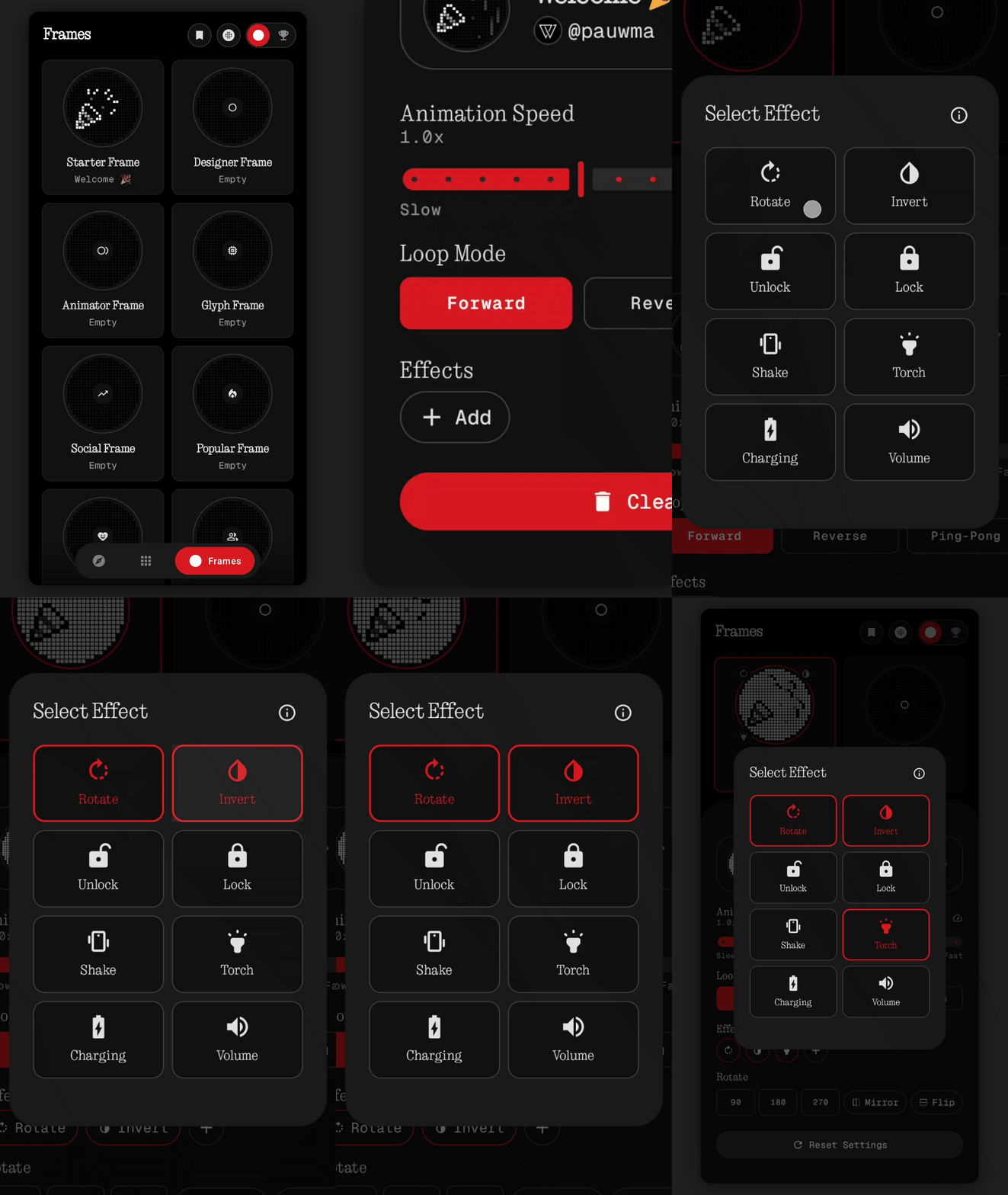 effect-add.gif
Changed your mind? No problem. Just tap the × on the Effect chip to remove it.
Art Effects
These change how your glyph art looks without triggering anything. They simply modify the art that's already assigned to your Frame.
Modifiers
Rotate
Spins your art by 90°, 180°, or 270°. You can also flip it horizontally or vertically. Great for adjusting art that was designed in a different orientation, or just to see how it looks from another angle.
Invert
Flips all the brightness values in your design. What was bright becomes dark, and what was dark becomes bright. It's a simple toggle that can give the same art a completely different feel.
Trigger Effects
These are the fun ones. They automatically light up the Glyph Matrix when something specific happens on your phone. The art shows up for a set duration, then fades out on its own.
Free
Shake
Give your phone a shake and your art lights up on the back. You can tweak the sensitivity to Low, Medium, or High depending on how easily you want it to trigger. Set it to High if you want it super responsive, or keep it on Low so it doesn't go off in your pocket.
For static art, you choose how long it stays on (1 to 5 seconds). For animations, you pick how many loops it plays (1 to 5).
Torch
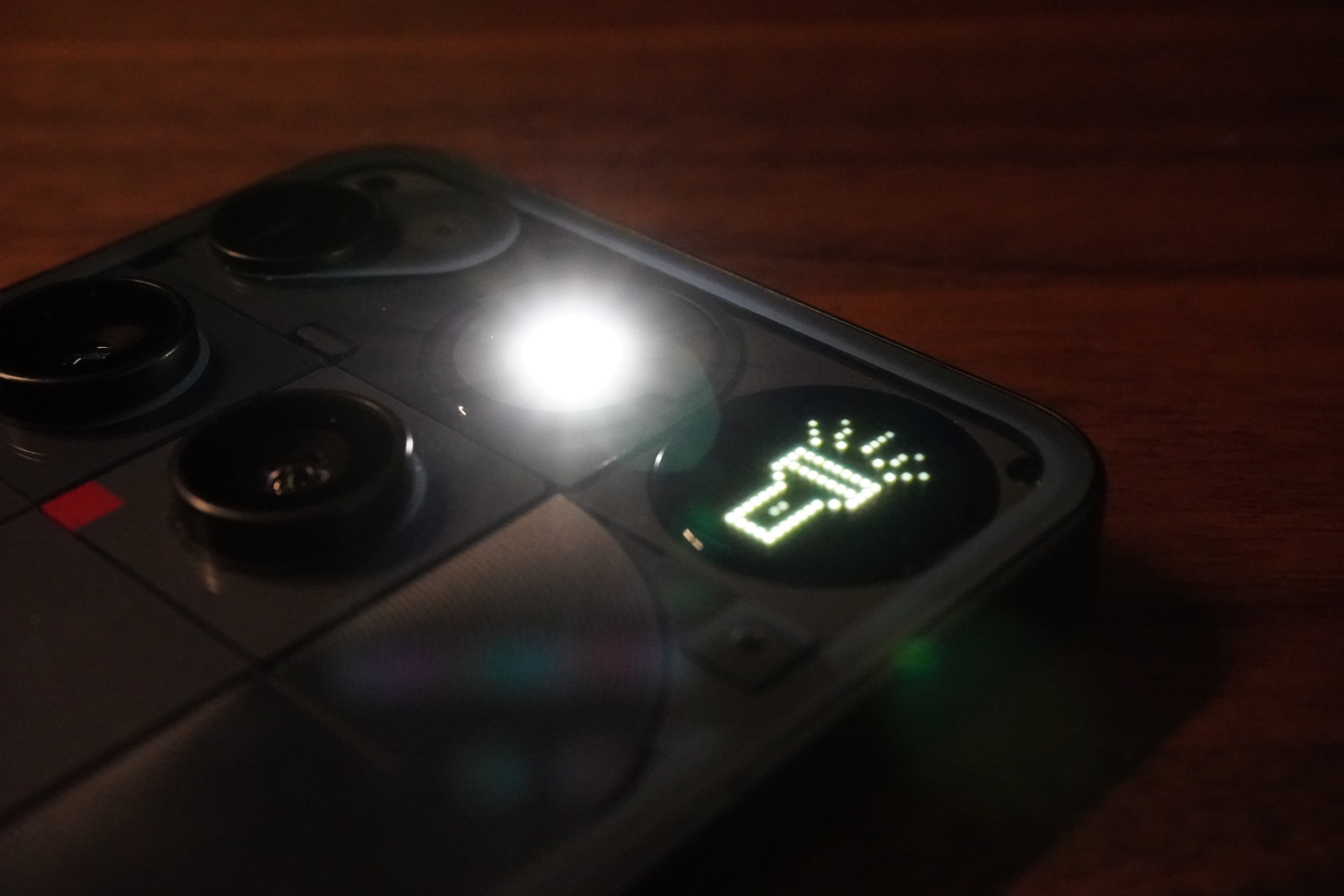
Turn on your flashlight and your glyph art appears on the back of the phone. It stays on the entire time the flashlight is active, with no timer or loop limit. As soon as you turn the flashlight off, the art goes away too.
Supporter
Unlock
Every time you unlock your phone, your glyph art flashes on the back. It's like a little welcome screen that greets you whenever you pick up your device.
You get to choose how long it lasts. Static art can stay on for 1 to 5 seconds, and animations can play 1 to 5 loops.
Lock
The flip side of Unlock. Your art shows up on the Glyph Matrix the moment you lock your screen. Think of it as a little goodbye animation every time you put your phone down.
Same duration options as Unlock: 1 to 5 seconds for static, 1 to 5 loops for animated.
Charging
Plug in your charger and your glyph art lights up right away. It's a nice visual confirmation that power is flowing, and it looks way cooler than a simple battery icon.
Static art stays on for 1 to 5 seconds. Animations play 1 to 5 loops.
Volume
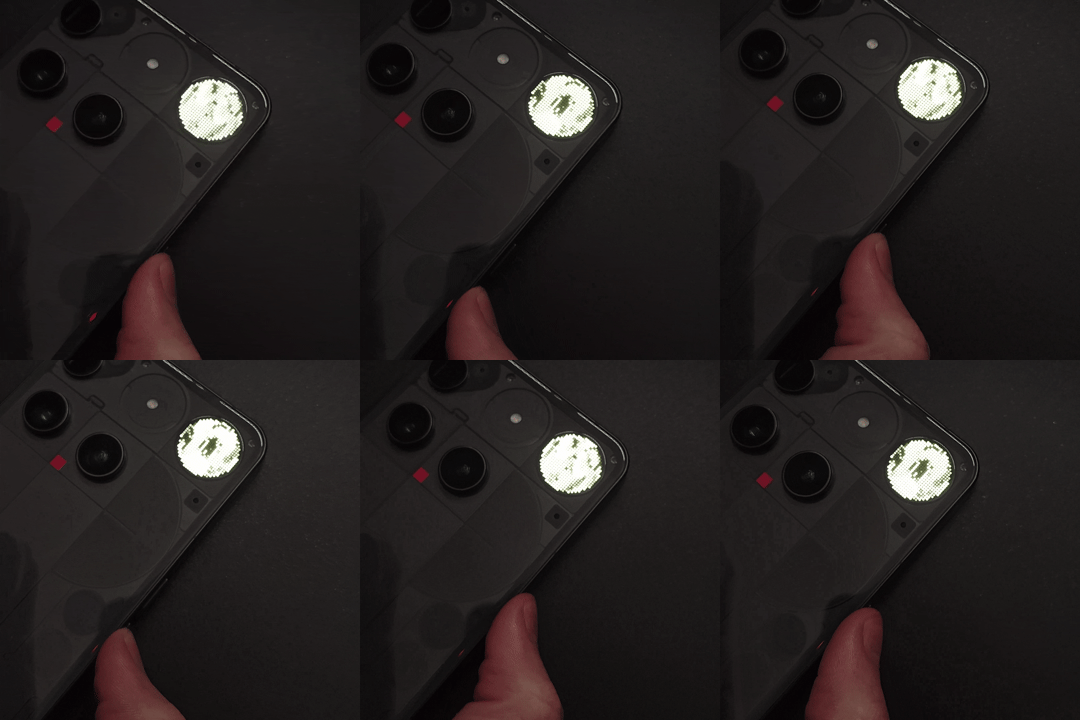
This one is really cool. Your glyph art reacts to the volume buttons in real time, so the Glyph Matrix changes every time you press volume up or down.
With animated art, the volume level picks which frame of your animation to display. Low volume shows the first frame, max volume shows the last, and everything in between transitions smoothly.
With static art, it works like a reveal. Rows of LEDs light up from the bottom as you turn the volume up. At max volume, the entire design is visible.
One at a Time Rule
Art Effects like Rotate and Invert can be on as many Frames as you want. Go wild with those.
Trigger Effects are a bit different. Each one can only be active on one Frame at a time across the whole app. So you can't have Shake on Frame 1 and Frame 3 at the same time.
If you try to add a Trigger Effect that's already on another Frame, the app will ask if you want to move it over. It gets removed from the old Frame and added to the new one automatically.
Unlocking Effects
Not every Effect is available right away. Some you earn, and some come with Supporter status.
Always free: Rotate and Shake are ready to go from day one. Everyone gets these.
Achievement unlocks: Invert and Torch are locked behind in-app achievements. To unlock Invert, you need to rotate any Frame 180° and flip it vertically. Torch has its own achievement that you'll unlock naturally as you explore the app. You'll spot these by the lock icon in the Effect selector.
Supporter exclusive: Unlock, Lock, Charging, and Volume are reserved for Supporters. You'll see these marked with a ★ star icon. Becoming a Supporter unlocks all four instantly.
Battery Usage
Trigger Effects run a small background service that listens for device events. For most people the battery impact is barely noticeable. If you're really careful about battery life, Art Effects like Rotate and Invert don't use any background processes at all.
What's Next
Now that you know what Effects can do, check these out next: